If you run a B&B, holiday home, guest house, or small rental business, you probably already know how useful platforms such as Airbnb and Booking.com can be. They give your property visibility and make it easier for new guests to find you.
But every reservation made through an online travel agency (OTA) comes at a cost. Commissions can add up over time, and relying entirely on third-party platforms also means having less control over the relationship with your guests.
Direct bookings offer an alternative: guests can check availability and send a reservation request directly from your own website, while you remain in control of your rooms, rates, reservations, and payments.
You don't have to stop using booking platforms. In fact, combining their visibility with an independent booking channel on your own website can be a practical strategy for a small accommodation business.
In this guide, we'll look at what you need to accept direct bookings with WordPress and how to keep the process simple.
Why direct bookings matter
Online travel agencies can be an important source of new customers, especially when people are discovering your property for the first time. However, relying exclusively on them has some disadvantages:
- You pay a commission on reservations made through the platform.
- Your relationship with guests is mediated by a third party.
- Your visibility can depend on the platform's rules, ranking systems, and policies.
- Changes to fees or terms are outside your control.
Having a direct booking channel gives you another option. Through your own website, you can:
- Reduce the commissions associated with third-party bookings.
- Build a direct relationship with your guests.
- Manage your own availability and reservation process.
- Present your property using your own brand and content.
- Choose whether to accept online payments, deposits, or booking requests without payment.
The goal isn't necessarily to replace Airbnb or Booking.com. They can continue to bring visibility and new guests. Your website simply becomes an additional booking channel that you control.
What you need to accept bookings on WordPress
You don't need a complex hotel management system to start receiving reservations from your own website.
For a small B&B or holiday rental, the essentials are relatively simple:
- A WordPress website.
- A way to display rooms or accommodation options.
- A booking form where guests can select their dates.
- An availability system to prevent conflicting reservations.
- A simple way to manage incoming bookings.
- Optionally, an online payment system.
- A WordPress website.
- A way to display rooms or accommodation options.
- A booking form where guests can select their dates.
- An availability system to prevent conflicting reservations.
- A simple way to manage incoming bookings.
- Optionally, an online payment system.
That's enough for many small accommodation businesses.
The mistake is often starting with software designed for large hotels, property managers, or agencies. Those systems can provide hundreds of features, but they can also introduce additional complexity, subscriptions, and functionality you may never use.
For a small property, a focused booking system can often be easier to configure and maintain.
A simpler approach to direct bookings
A lightweight booking system should concentrate on the tasks you actually perform every day:
- Showing room availability.
- Receiving booking requests.
- Managing reservations.
- Handling seasonal rates.
- Blocking unavailable dates.
- Sending notifications to guests and administrators.
- Optionally accepting online payments.
Everything else should stay out of the way.
This is the approach behind Simple B&B Rental, a WordPress plugin designed specifically for small accommodation businesses that want to manage direct reservations from their own website.
The booking data remains on your WordPress installation, and you manage rooms, reservations, rates, availability, and payments without depending on an external booking portal.
If you want to see the process from a guest's perspective, you can also try the live demo and complete a test reservation.
How the booking flow works
From the guest's point of view, a direct booking process should be straightforward:
- The guest selects a room or accommodation.
- They choose their arrival and departure dates.
- The system checks whether those dates are available.
- The guest enters their details and submits the reservation.
- If online payments are enabled, they can complete the required payment.
- The reservation is recorded and the appropriate notifications are sent.
Behind the scenes, you can review and manage the reservation directly from WordPress. The objective is simple: make booking easy for the guest without creating unnecessary administrative work for you.
Managing bookings without unnecessary complexity
A booking system becomes much less useful if managing it takes more time than handling reservations manually. For a small accommodation business, you should be able to understand the current situation at a glance: which rooms are available, which dates are occupied, and which reservations require your attention.
With a clear reservation workflow, you can manage bookings through statuses such as pending, confirmed, and completed, while keeping availability synchronized with your reservations. You can also define blackout periods when a room, or the entire property, should not be available for booking.
This keeps the everyday workflow manageable without introducing the complexity of a full property management platform.
Optional: accept payments online
Direct bookings don't necessarily have to include an online payment.
Depending on how you manage your property, you may prefer to receive a booking request first and arrange payment separately. Alternatively, you can integrate Stripe and collect payment as part of the reservation process.
For example, you can choose to:
- Request the full amount at the time of booking.
- Collect only a deposit.
- Accept the reservation without requiring an online payment.
This flexibility is useful because not every B&B follows the same booking process. When Stripe is enabled, payment takes place through Stripe's secure checkout process, so your website does not need to store your guests' card details.
Manage reservations from your phone
You may not always be sitting in front of WordPress when a new reservation arrives.
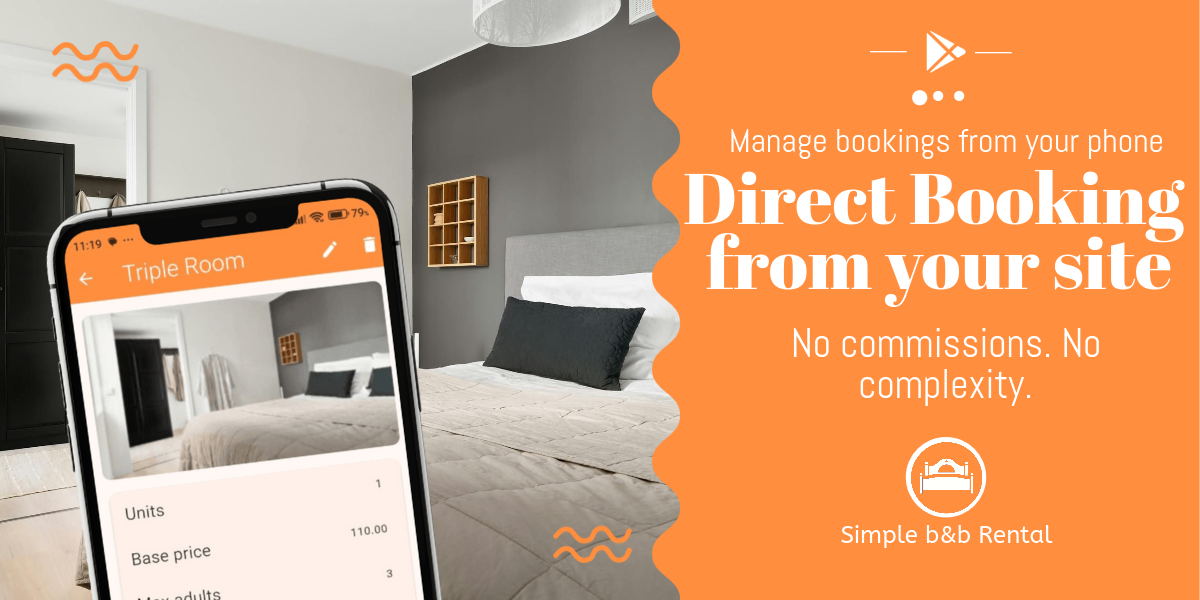
Simple BnB Admin provides an Android interface for managing your Simple B&B Rental installation from your phone. It connects directly to your WordPress website through the plugin's REST API.
From the app, you can manage reservations and check the information you need without having to navigate the WordPress administration interface from a mobile browser. Your website remains the source of the data: the mobile app simply provides another way to access and manage it.
Simple BnB Admin is currently available as a beta Android app.
What about Airbnb and Booking.com?
Direct booking doesn't have to mean abandoning the major booking platforms. For many small properties, a combination of both approaches makes more sense:
- Use OTAs to reach people who don't know your property yet.
- Use your website to establish your own online presence.
- Encourage returning guests to find you directly.
- Build an independent booking channel alongside third-party platforms.
Over time, direct traffic, recommendations, returning customers, and search engines can bring more visitors directly to your website.
Even if only part of your reservations eventually arrive through your own booking system, those are bookings that you can manage through a channel you control.
Build your own direct booking channel
Setting up direct bookings on WordPress doesn't have to mean adopting a complicated hotel management platform or committing to another monthly subscription.
For a small accommodation business, the essentials are much simpler:
- Clear information about your rooms.
- Accurate availability.
- A straightforward booking process.
- Reliable reservation management.
- A way to communicate with your guests.
- Online payments, if you need them.
Simple B&B Rental was built around those requirements: a self-hosted WordPress booking system that focuses on the features a small B&B or holiday rental actually needs.
You can explore the live demo to see the booking process from a guest's perspective, or read the complete documentation to see how rooms, reservations, seasonal rates, payments, notifications, and availability are managed.